
Run a Shopify store? Give customers your loyalty card in Apple Wallet and Google Wallet.
See how JeriCommerce works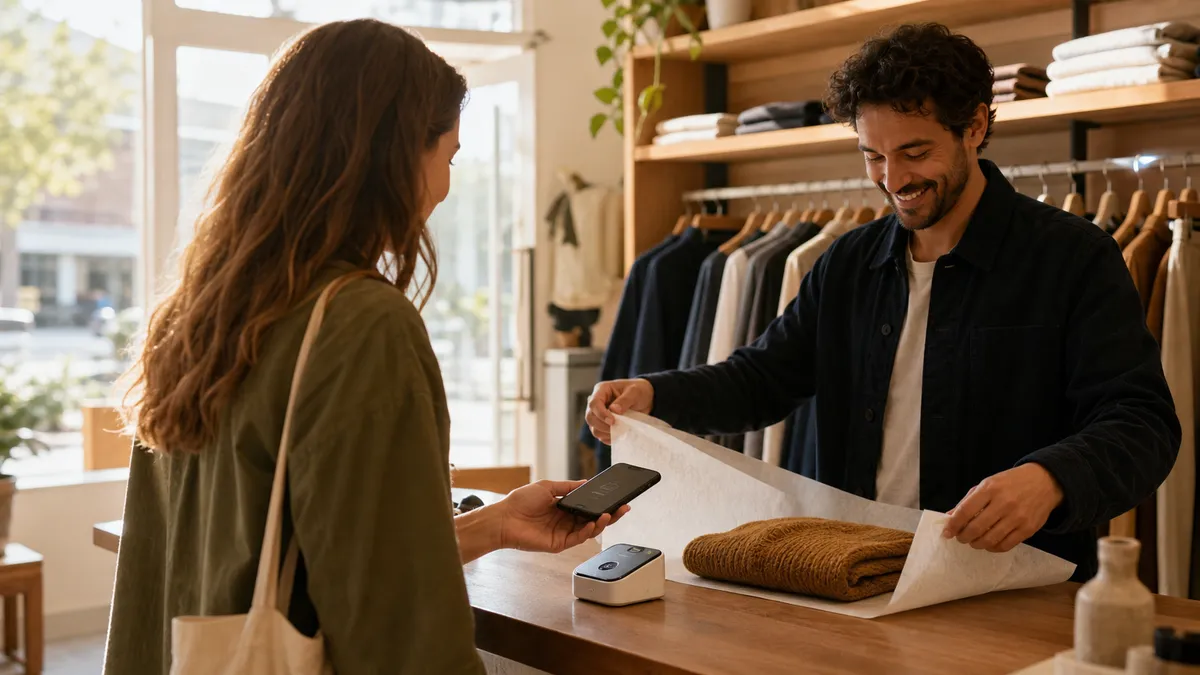
A mobile wallet loyalty program is a loyalty card that lives in Apple Wallet or Google Wallet, no app required, no plastic card, no friction.
A mobile wallet loyalty program is a loyalty card that lives inside Apple Wallet (on iPhone) or Google Wallet (on Android). It's not an app, there's nothing to download. It's not a plastic card, there's nothing to lose. It's a digital pass that the customer adds to their phone's wallet once and uses forever.
The pass shows the customer's current point balance, tier status, available rewards, and (optionally) a barcode or NFC chip for in-store identification. When the merchant updates the customer's loyalty status, they earned points, they leveled up, they have a reward available, the pass updates automatically. The customer doesn't refresh anything. They just see the new state next time they look at their phone.
The behavioral magic is that the wallet is somewhere customers already spend time. Apple Wallet handles boarding passes, event tickets, transit cards, payment cards, and store credit. Google Wallet does the same on Android. A loyalty card in this context isn't another notification fighting for attention, it's part of the customer's existing routine.
For Shopify merchants, the technical foundation is straightforward. Your loyalty platform issues the pass (an Apple PKPass file or a Google Wallet pass URL), sends the customer the add-to-wallet link, and updates the pass via the relevant push service when the customer's loyalty data changes. The customer's experience is one tap to add and zero ongoing effort.
For the broader context of how loyalty fits into a Shopify merchant's stack, our ecommerce loyalty program guide covers the foundation. This guide focuses on the wallet pass layer.
Open Apple Wallet or Google Wallet on your phone right now. Look at how loyalty cards from major brands (Starbucks, Walgreens, Sephora) are designed, back logo, color scheme, primary information. That's the standard your wallet pass needs to meet.
Apple Wallet and Google Wallet support equivalent loyalty card features. The difference is mostly in design freedom (Google more flexible) vs design consistency (Apple more polished). Support both, neither user base is optional.
Apple Wallet and Google Wallet handle the loyalty card primitive in very similar ways, with a few platform-specific differences worth understanding before you design your pass.
Google Wallet uses the Google Wallet API and JSON-based pass classes. The structure is more developer-friendly and, in some ways, more flexible. Google Wallet supports the same barcode types and NFC. It also supports a smart tap protocol (specifically for transit and loyalty), real-time updates via the Wallet API, and richer media support (you can include videos in pass details, for example).
The practical differences:
The right answer for any Shopify merchant is to support both. iOS has roughly 55% of the US smartphone market and Android has 45%, neither is optional if you want full coverage. Your loyalty platform should issue both pass types from the same backend with no extra effort on your part.
For a deeper dive on the implementation specifically, see our guide to creating an Apple Wallet loyalty card on Shopify.
Sketch your wallet pass design on paper before implementing. Front: brand mark, customer name, point balance. Back: how to redeem, customer service contact, terms. Constraints force clarity.
Shopify customer email and order data feed your loyalty platform, which generates the wallet pass with the right customer-specific information. The pass updates whenever Shopify reports a new order, refund, or customer event.
Wallet passes have 6x higher install rates and 3x better long-term retention than mobile apps for loyalty. They also cost nothing to maintain on the customer's side and surface naturally on the lock screen.
The standard alternative to wallet passes is a branded mobile app. Most large retailers have one. Most loyalty platforms encourage one. The data on actual customer adoption tells a different story.
App install rate for retail loyalty apps is consistently below 10%. Of customers who download a retail app, fewer than 30% are still using it 90 days later. Of those who keep using it, the median engagement is 2-3 sessions per month, which is roughly the frequency of opening any single retail app.
Wallet pass install rate, when offered through a clear add-to-wallet flow at checkout or in confirmation email, consistently exceeds 60% on iOS and 45% on Android. Of customers who add the pass, 90%+ still have it 12 months later. Engagement is harder to measure (the customer doesn't "open" a pass, they see it on their lock screen), but the proxy metric, push notification open rates, runs 4-6x higher than promotional email.
The reasons:
The practical implication for Shopify merchants: don't build a mobile app for loyalty. Issue wallet passes. The economics are dramatically better, and the customer experience is genuinely simpler.
For more on the design choices, see our digital punch card guide, which covers the visual and behavioral aspects of digital loyalty cards in depth.
If you're currently asking loyalty customers to download an app, run an A/B test: 50% of post-purchase customers get the app prompt, 50% get the wallet pass prompt. Measure 30-day enrollment rate. The wallet pass will win by 4-6x in nearly every test we've seen.
Wallet pass NFC tap at POS takes under 3 seconds, fast enough to use during peak hours without slowing the line. Alternative identification methods (phone, email, app barcode) are 5-10x slower and get abandoned by staff during busy periods.
The in-store moment is where wallet passes most clearly beat every alternative. The customer walks up to the register holding their phone. They tap the phone on the POS terminal, or hold it near the merchant's scanner. The pass is read in under 3 seconds. The customer is identified, points are credited, available rewards are surfaced, and the cashier rings up the sale.
The technical path on Shopify POS:
If your POS hardware supports NFC reading (most modern Shopify POS terminals do), the customer holds their phone near the terminal. The terminal reads the wallet pass via the relevant smart tap protocol (Apple's PassKit NFC for iOS, Google's smart tap for Android). The pass identifier flows to your loyalty platform via the POS app, which credits the points and returns any available rewards.
If your hardware doesn't support NFC, the cashier scans the barcode displayed on the customer's wallet pass. The customer opens the pass (one tap), shows the barcode, and the cashier scans it with the POS scanner. This takes 5-7 seconds, slower than NFC but still dramatically faster than typing a phone number or email.
The alternative flows are dramatically worse. Phone number lookup typically takes 15-25 seconds, the customer recites the number, the cashier types it, the system searches, the cashier confirms. Email lookup is even slower. Asking the customer to open a branded app, log in, and find their loyalty barcode often takes 20-30 seconds (assuming the app is even installed and the customer remembers their password).
The difference matters at peak times. A coffee shop or quick-service merchant with a 5-minute lunch rush can't afford 25 seconds per loyalty identification, that's an entire customer's worth of throughput lost. A 3-second tap is acceptable. Anything longer makes staff stop offering the loyalty program during busy periods, which destroys enrollment.
For an in-depth treatment of this in-store identification problem, our omnichannel loyalty program guide covers the broader online + offline architecture.
Time your current in-store loyalty identification process. If it's over 10 seconds, your staff are silently dropping it during busy times, and your in-store loyalty enrollment is much lower than your dashboard shows.
Shopify POS supports NFC reading on modern terminals (the Shopify Tap & Chip Reader, the Shopify POS Go device). Your loyalty platform should integrate via the Shopify POS Extensions API to surface the wallet pass tap as a native checkout step.
The 3-second NFC tap is the moment that wallet passes most obviously beat every alternative. It's the only loyalty identification method fast enough to use during a coffee shop's lunch rush, which means it's the only one that actually gets used in real conditions.
Wallet push notifications achieve 5-7x the engagement of promotional email because they only fire on relevant pass changes. Customers learn to trust that opening a wallet notification will tell them something material about their account.
When you update a wallet pass, credit the customer 50 points, mark a reward as available, change their tier from Silver to Gold, the customer's phone shows a push notification. Not from your app (you don't have one). From the wallet itself. "Your Loyalty Pass, 50 points earned. Tap to view."
The engagement metrics on these notifications are dramatic. Open rates routinely exceed 50%, vs 18-25% for promotional email and 95% for SMS (but at 100x the cost per message). Click-through to the pass detail is 30-40%, which is 5-10x what promotional email achieves on "You earned a reward" subject lines.
Why the engagement is higher:
The constraint is that you can only notify on pass changes, you can't send arbitrary marketing. This is actually the strength: it forces every notification to be relevant to the customer's loyalty status. The customer learns to trust that opening the pass when they see a notification will tell them something useful.
Location-based notifications add a separate engagement layer. When you've configured a pass to surface near a designated location (your store), the customer's phone shows the pass on the lock screen as they approach. "Your Loyalty Pass, 340 points, 60 from your next reward." This passive reminder drives incremental store visits without any active marketing effort. For the broader strategy, see our location-based marketing guide.
For more on how push notifications compare with other channels, our push vs email ROI calculator shows the math.
Audit which loyalty events trigger wallet pass updates. Aim for 4-6 update events per month per active customer, enough to maintain top-of-mind presence, infrequent enough to avoid notification fatigue.

Wallet pass design lives or dies on legibility. Brand color, prominent points balance, four maximum front-of-pass data points, visible barcode, brand-voice microcopy. If the customer can't read their status in under 1 second, simplify.
A wallet pass that customers delete within a week is worse than no pass at all. The design decisions that determine whether a pass survives the customer's lock-screen scrutiny:
Use your brand color for the pass background. The customer should recognize the pass at a glance among the dozens of others in their wallet. A neutral or generic color makes the pass forgettable.
Show the customer their points balance prominently, not the brand name or your logo. The point balance is what the customer cares about. Your brand identity is secondary. Most successful wallet passes have the brand mark in a small corner and the points balance taking up the largest visual space.
Keep front-of-pass information to four data points maximum. Customer name, points balance, tier, and (optionally) progress to next tier. Anything more becomes visual noise. Detailed information (transaction history, redemption guide, customer service contact) belongs on the back of the pass, accessible by tapping the info icon.
Include a barcode visible on the front of the pass. Even if you primarily use NFC for in-store identification, the barcode is the universal fallback when NFC isn't available. Customers shouldn't have to flip the pass over to find the barcode at checkout.
Write microcopy that matches your brand voice. The default text on most loyalty passes ("Show this to redeem", "Tap for details") is forgettable. A coffee brand might say "Show your phone, get your latte." A fashion brand might say "Tap to see what's new this week." Tiny details, but they accumulate.
Update the pass design seasonally if it makes sense for your brand. Apple Wallet and Google Wallet both support pass updates that change the visual design (background color, image, logo). A holiday pass or a limited-time campaign pass keeps the program feeling alive, without requiring the customer to add a new pass.
The overall test: when the customer glances at their wallet, can they identify your pass and read their current status in under 1 second? If yes, the design is working. If no, simplify until yes.
Ask three customers (in person, at your store) to show you their wallet and find your pass among the others. Watch how long it takes. If they have to scroll or squint, your design needs work.
Wallet pass design should match your industry's customer behavior. Coffee = punch-card visual. Fashion = tier status. Beauty = barcode for in-store. Food subscription = lifetime relationship. Don't use a generic template across verticals.
Wallet pass loyalty programs work for nearly every Shopify vertical, but the implementation pattern varies by how customers naturally interact with the brand.
Food and beverage retail (specialty foods, coffee subscription, etc.). Wallet pass becomes the unifier between subscription orders, in-store visits, and one-off online purchases. Pass should display total lifetime spending or member-since date to emphasize relationship depth.
The meta-pattern: identify the single most important piece of information a customer in your industry needs at-a-glance, and put that on the front of the wallet pass.
Look at your top 10 customers by lifetime value. What's the single piece of information they'd most want to see on their wallet pass? Build the design around that answer.
Six wallet-specific metrics matter: add-to-wallet rate, pass retention, update-to-engagement, in-store identification rate, location-trigger conversion, and pass-attributed revenue. Track these monthly alongside your standard loyalty KPIs.
Wallet pass loyalty programs need their own metrics, generic loyalty KPIs don't capture the wallet-specific signals that predict success.
Use our loyalty ROI calculator to model the impact of moving from a 25% pass-installed loyalty base to 60%+ pass-installed, the lift in repeat purchase rate is typically 30-50% over 12 months.
Build a monthly dashboard that tracks these six wallet-specific metrics alongside your standard loyalty KPIs (enrollment, repeat purchase, redemption rate). The wallet metrics are the leading indicators, they move first when something is working or breaking.
Calculate your current add-to-wallet rate (or estimate it if you're not tracking yet). If you don't have this number, you can't optimize the prompt, and the prompt is the single highest-leverage variable in your wallet loyalty program.
A working wallet pass loyalty program takes 14 days from platform selection to full launch on Shopify. The non-negotiable phase is days 1-3, picking a platform with native Apple + Google support and Shopify POS integration.
Day 1-3. Pick a loyalty platform that issues both Apple Wallet and Google Wallet passes natively. Verify it integrates with Shopify POS for in-store identification. Verify it supports pass updates via push, not just email-based update reminders. If any of those are missing, choose a different platform, they're not optional features.
Day 4-5. Design your wallet pass following the principles in this guide. Brand color background. Customer name + points balance prominently. Tier status. Barcode visible. Microcopy in your brand voice. Get sign-off from whoever owns brand at your company before going further.
Day 6-7. Configure pass update triggers. Earn → update. Tier change → update with celebration. Reward available → update with notification. Reward expiring → update with urgency message. Aim for 4-6 update events per active customer per month.
Day 8-9. Set up location-based triggers. Add your store locations (street address + radius, typically 200m). Test that a pass surfaces on the lock screen when you walk near the store with the pass installed.
Day 10. Train in-store staff on the new wallet pass identification flow. Show them what the pass looks like, how to scan it (NFC or barcode), and how to handle the failure modes (customer can't find the pass, NFC not working, etc.). Run mock checkouts until staff are confident.
Day 11-12. Add the wallet pass enrollment prompt to three customer touchpoints. Post-purchase email (highest add-to-wallet rate, typically 40-60%). Order confirmation page (second-highest, 30-50%). In-store signage at checkout (lower add rate but reaches a different audience, 15-25%).
Day 13. Soft launch to 10-15% of customers. Monitor add-to-wallet rate, pass retention, in-store identification rate. Look for any technical issues (passes not updating, NFC not reading, etc.). Fix before broader rollout.
Day 14. Roll out to all customers. Announce via your existing email list with a clear add-to-wallet link. Update your homepage, product pages, and account page to surface the wallet pass option. The program is live.
Day 15+. Iterate. The metrics will tell you which prompts drive the highest add-to-wallet rate and which update triggers drive the highest engagement. Refine the pass design and prompt copy monthly.
For the broader rollout sequence, our customer retention program guide covers how the wallet pass fits into a larger retention strategy.
Don't skip the 10-15% soft launch on day 13. The technical edge cases (NFC not reading on certain terminals, pass updates not propagating to certain Android versions) only surface in real-world usage.
Mobile wallet loyalty programs solve the three problems that kill loyalty engagement: customers forgetting they're members (wallet passes are always on the phone), friction at in-store checkout (NFC tap is under 3 seconds), and the dead silence of email re-engagement (wallet push notifications get 5-7x higher open rates). For Shopify merchants with both online and physical presence, wallet passes are the simplest, fastest, and most measurable way to bridge the two worlds. Apple Wallet and Google Wallet handle the loyalty card primitive equivalently, support both. The 14-day rollout from platform selection to live program is realistic, and the metrics that predict success (add-to-wallet rate, pass retention, in-store identification rate) are well-defined.
Pick a loyalty platform that issues both Apple Wallet and Google Wallet passes, integrates with Shopify POS for in-store identification, and supports pass updates via push. Then design a wallet pass that customers can read in under 1 second and rollout in 14 days.
JeriCommerce issues both Apple Wallet and Google Wallet passes from one Shopify install. NFC tap at POS, push notifications without an app, location-based lock-screen reminders. Free plan available.
See how JeriCommerce works