
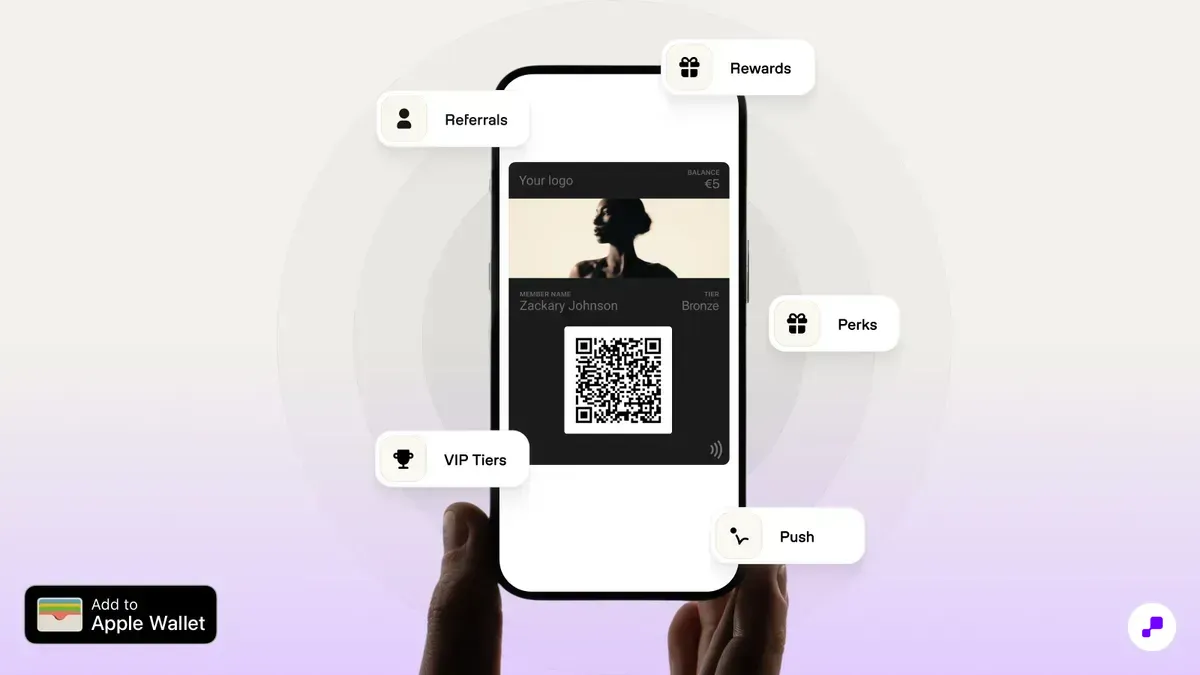
Apple Wallet loyalty cards achieve 65-75% enrollment and persistent visibility — solving the two biggest loyalty program problems (adoption and engagement) simultaneously. For retail stores, they unify online and in-store loyalty into one membership card.
Apple Wallet based loyalty programs achieve 65-75% enrollment rates, compared to 10-20% for standalone loyalty apps. The difference is friction. Adding an Apple Wallet loyalty card takes one tap — no app download, no account creation, no password. And unlike standalone apps (77% deleted within 30 days), Apple Wallet membership cards persist because Wallet is a system app that never gets deleted. Your loyalty card stays visible every time the customer opens their phone.
For retail stores implementing Apple Wallet loyalty passes, the omnichannel benefit is the real win. A customer shops online — points update on the wallet pass. They walk into your store — the pass appears on their lock screen via geo-fencing. Staff scans the pass at POS — purchase earns points. One customer, one membership card, all channels unified. On Shopify, this is seamless because unified customer profiles sync wallet pass data across every sales channel. For the customer perspective, our guide on how to add loyalty cards to Apple Wallet covers the end-user experience.
Before choosing a wallet pass app, count your active sales channels on Shopify — ensure the app supports points earning across all of them (online store, POS, social commerce).
Shopify's unified customer profiles ensure wallet pass loyalty data syncs across every sales channel — online, POS, Markets, and headless storefronts.
Evaluate wallet pass apps on five criteria: design customization, dynamic updates, push notifications, POS integration, and Shopify Flow automation. JeriCommerce covers all five natively.
The Shopify App Store has several apps that generate Apple and Google Wallet loyalty passes. Key features to evaluate before choosing:
Pass design customization: Can you match your brand colors, logo, and typography? Does the pass look professional alongside major retailer passes in the customer's wallet? Some apps offer limited templates; others give full design control.
Dynamic pass updates: When a customer earns points, does the pass update in real time? Dynamic updates are essential — a pass showing a stale balance undermines trust. Ensure the app pushes updates within seconds of a transaction.
Push notifications: Can you send messages through the wallet pass channel? This is the killer feature — 85-95% delivery rates versus 15-20% for email. Verify the app supports custom push notifications, not just automated balance updates.
POS integration: Does the app work with Shopify POS? Can store staff scan the wallet pass barcode or QR code to identify the customer and apply loyalty points? This is non-negotiable for merchants with physical locations.
Automation via Shopify Flow: Does the app support Shopify Flow triggers and actions? Flow integration lets you automate pass distribution (send after first purchase), bonus points (double points on specific products), and lifecycle messages (win-back after 30 days inactive).
JeriCommerce checks all five boxes — full brand customization, real-time pass updates, push notifications with 90%+ delivery, native Shopify POS scanning, and Shopify Flow triggers. It also generates both Apple and Google Wallet passes from a single setup, so you cover iPhone and Android customers without extra configuration. For the rest of this guide, we'll use JeriCommerce to walk through each step. Our loyalty cost comparison tool helps evaluate pricing across platforms if you want to compare alternatives.
Install JeriCommerce on a development store and test the full flow: enrollment, purchase, points earning, pass update, and POS scanning — the free plan lets you verify everything before committing.
Shopify Flow integration lets you automate the entire loyalty lifecycle — from pass distribution to bonus point triggers to win-back notifications — without custom code.
Wallet pass design follows Apple's fixed layout — focus on brand colors, a simple logo mark, clear points display, and a barcode format your POS hardware can scan.
Your wallet pass sits alongside Apple Pay cards and major retailer passes. It needs to look like it belongs there — polished, branded, and instantly recognizable.
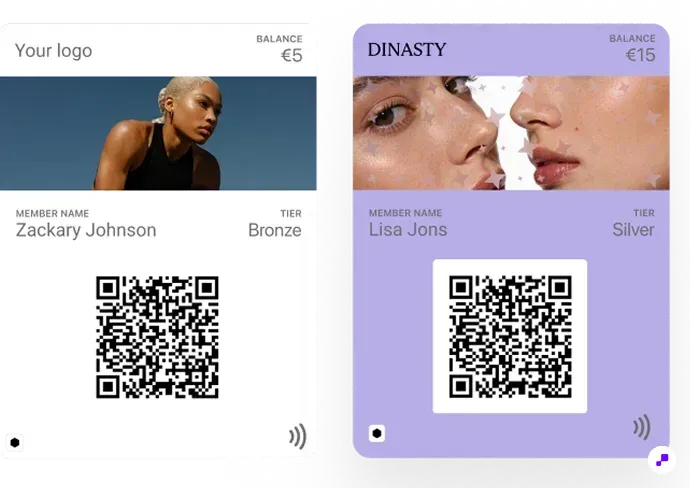
Apple Wallet passes have a fixed layout with customizable elements: a logo image (top left), a logo text (brand name next to the logo), a strip image (header banner), primary fields (large text — typically points balance), secondary fields (tier, member since, next reward), and a barcode (QR code or Code 128 for scanning at checkout).
In JeriCommerce, the pass designer lets you configure all of these visually — upload your logo, set brand colors, choose fields, and preview the result on a simulated iPhone screen before publishing. No design software needed. You set your primary brand color as the pass background, upload a logo mark (keep it simple — it renders at 30x30 points, so fine details get lost), and optionally add a strip image header.
For the primary field, display the most important number: points balance. Customers want to see this instantly without tapping into details. Secondary fields should show tier status and the next reward milestone (e.g., "Silver — 160 pts to Gold"). The back of the pass can include additional details: member since date, referral link, terms and conditions, and contact info. JeriCommerce auto-populates these from your loyalty program configuration.
Barcode format matters for POS scanning. QR codes are the most universal and work with all modern scanners. Code 128 barcodes are slimmer and work well in horizontal layouts. JeriCommerce defaults to QR codes but supports both — test scanning at your actual checkout stations before launching.
For deeper design inspiration, see our creative loyalty card design ideas collection with 30 wallet pass concepts.
Test your pass design on 3 different iPhone models and both light/dark mode before launching — what looks good in your design tool may render differently on device.
Apple Wallet enforces clean, consistent pass layouts — this means even small brands can produce passes that look as polished as Starbucks or Target.
Keep the earning ratio simple (1 point per $1), create a reward ladder with multiple redemption tiers, and use Shopify Flow to automate the entire mechanics.
Keep it simple enough to explain in one sentence: "Earn 1 point per $1 spent. Redeem 100 points for $10 off." If customers can't calculate their earning rate in their head, engagement drops.
Core earning rules to set up: points per dollar on all purchases, a welcome bonus on first purchase (accelerates initial engagement), bonus points on specific collections (drives behavior toward high-margin items), and points for non-purchase actions like reviews and referrals.
For redemption, create a reward ladder with micro-goals: 50 points = free shipping, 100 points = $10 off, 250 points = $25 off. The ladder maintains momentum — customers always see a next reward within reach. Set a 12-month rolling point expiration to maintain urgency without frustrating seasonal shoppers, and use wallet push notifications 60 days before points expire.
Shopify Flow automates the mechanics — award points on paid orders, trigger bonus points by collection, send wallet notifications at reward thresholds, and upgrade tiers on annual spend. Zero manual intervention after initial setup.
Calculate how many average-value purchases it takes to reach the first reward. If it's more than 3, lower the threshold — first-reward speed is the #1 predictor of long-term program engagement.
Shopify Flow handles points earning, bonus triggers, tier upgrades, and expiration notifications automatically — zero manual intervention after initial setup.
Distribute wallet passes at the moment of peak brand affinity — post-purchase email and checkout page are the highest-converting channels at 40-55%.
Distribution is where wallet pass programs succeed or fail. The goal: get the pass onto the customer's phone at the moment of highest brand affinity — right after they've purchased or signed up.
Post-purchase email: The highest-converting distribution channel. After a customer's first purchase, include an "Add to Apple Wallet" button in the order confirmation email. The customer just bought from you — their brand affinity is at its peak. JeriCommerce generates this button automatically and embeds it in Shopify's order notification emails. Conversion rate: 40-55% from email.
Post-purchase checkout page: Add a wallet pass download option on the Shopify order status page. The customer is already engaged and looking at their order confirmation. A clean "Save your loyalty card to Apple Wallet" button captures the moment. JeriCommerce injects this into the Shopify thank-you page with no theme code editing required.
SMS/text message: Send a wallet pass link via SMS after the first purchase or account creation. SMS achieves 90%+ open rates. Keep the message short: "Thanks for your order! Add your loyalty card to Apple Wallet and start earning points: [link]"
In-store QR code: For merchants with Shopify POS, display a QR code at the checkout counter, on table tents, on receipts, or on packaging. Customers scan with their iPhone camera and the pass adds instantly. JeriCommerce generates a printable QR enrollment card you can display at every register. This is the highest-volume channel for retail locations — train staff to mention it at checkout.
Website popup or banner: Add a wallet pass enrollment prompt to your Shopify store's homepage or account page. Target returning visitors who haven't enrolled yet. Use Shopify's customer metafields to track enrollment status and suppress the prompt for existing members.
NFC tap: For high-traffic retail locations, NFC tags let customers add the pass by tapping their phone on a branded stand or sticker. No camera needed, no typing — just a tap. Requires iPhone XS or newer.
JeriCommerce's dashboard tracks enrollment by channel automatically. If in-store QR codes drive 60% of enrollments, invest in better signage. If email drives only 10%, improve the CTA placement and copy.
Set up three distribution channels this week: post-purchase email, in-store QR code, and a website banner. Track enrollment by channel for 30 days, then double down on the top performer.
Shopify Flow can trigger wallet pass distribution automatically — send the pass link via email after the first purchase, via SMS after account creation, or via the checkout thank-you page.
Multi-channel distribution (email + QR + SMS + NFC) achieves 65-75% total enrollment — far beyond the 10-20% typical of app-based loyalty programs.
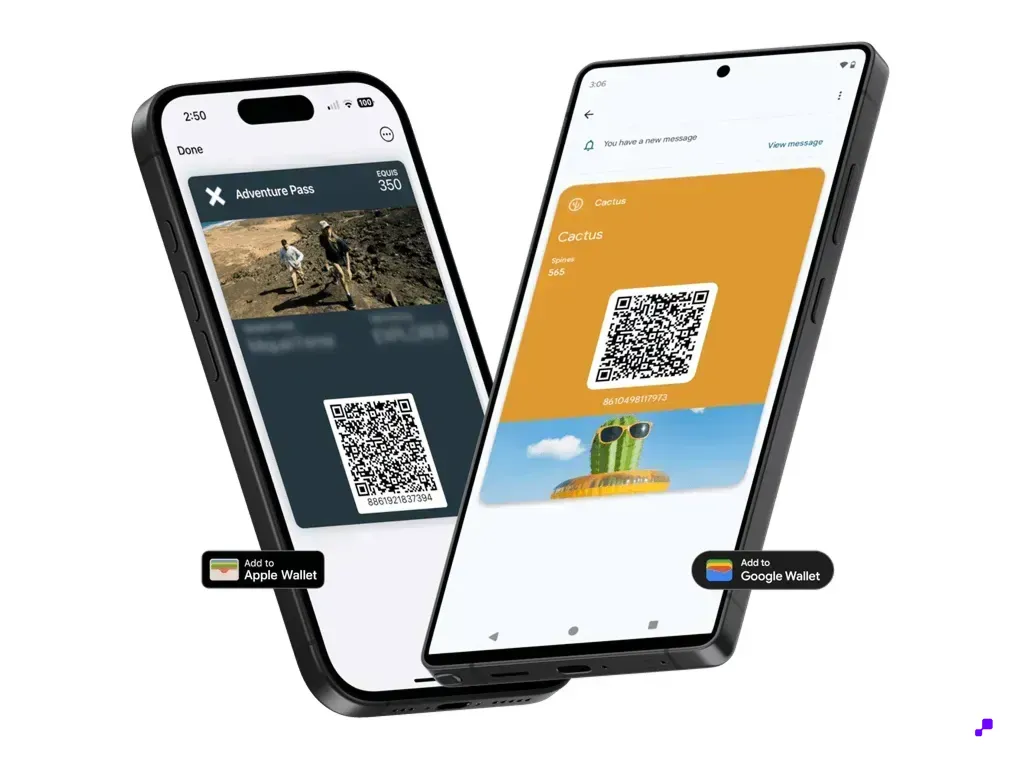
QR is the broad-compatibility baseline for enrollment and identification; NFC is an optional upgrade that depends on compatible readers and correctly configured Apple VAS or Google Smart Tap integrations.
QR and NFC can both support a Wallet pass loyalty flow, but they do different jobs. Treat enrollment, customer identification, and payment-terminal capability as separate decisions before you choose hardware or promise a tap experience.
- QR enrollment. The customer scans a QR code on a sign, receipt, package, email, or screen. The code opens an add-to-wallet flow or enrollment page. It creates the relationship; it does not identify the customer at checkout by itself.
- QR or barcode identification. The customer opens the Wallet pass and shows its QR code or another supported barcode. A POS camera or compatible barcode scanner reads the member identifier so the loyalty app can find the customer. This is the broad fallback because cameras and barcode scanners are common.
- NFC-tag enrollment. The customer taps their phone on a passive NFC tag that contains an enrollment URL. The tag helps the customer add the pass without opening the camera, but it is not the same as tapping an already-issued pass at checkout.
- NFC Wallet pass identification. The customer presents an installed pass to a compatible NFC reader. Apple VAS and Google Smart Tap require compatible readers, correctly configured passes, and an integration that maps the tap to the loyalty or POS workflow. A payment terminal that accepts contactless payments does not automatically read a Wallet loyalty pass.
- Baseline recommendation. Use QR enrollment and QR or barcode identification as the default path. Add NFC identification as an upgrade for stores that can verify the reader, platform configuration, integration, and fallback flow together.
Test the complete path at the actual counter. Confirm which device opens the add-to-wallet link, which scanner reads the pass, which terminal supports the intended NFC protocol, and what staff do when a tap fails. Keep the QR or barcode path visible even after NFC works, because customers use different phones and not every Shopify POS setup supports Wallet-pass NFC.
Label your test plan with four separate outcomes: QR enrollment, QR or barcode identification, NFC-tag enrollment, and NFC Wallet pass identification. Do not mark the setup complete until each outcome is tested or intentionally out of scope.
Shopify POS can use a device camera or supported barcode scanner for the QR and barcode fallback, while NFC Wallet-pass identification needs a compatible reader and loyalty integration beyond ordinary payment acceptance.
The same Wallet pass can support QR enrollment, barcode identification, and an NFC upgrade, but each path has different equipment and platform requirements.
Shopify POS can support Wallet-pass loyalty through a QR or barcode identification fallback, while NFC requires a compatible reader, correct configuration, and a tested integration.
If you have physical locations, POS integration is critical. The wallet pass barcode must scan correctly through the customer-identification flow you use at Shopify POS. A barcode path is the most broadly compatible baseline, while NFC identification is an optional path that depends on the reader, pass configuration, and loyalty integration.
Setup steps with JeriCommerce: Install the app, enable POS integration in settings, and choose your QR or barcode format. Confirm that the Shopify POS device camera or supported external scanner can read the member identifier and that the loyalty app can return the right customer profile. If you plan to add NFC, verify the specific reader and protocol separately. Shopify payment acceptance alone does not prove that the terminal can read an Apple Wallet or Google Wallet loyalty pass.
The checkout flow for the broad fallback is simple. The customer approaches the register and opens the Wallet pass. Staff taps the customer-identification scan action in the Shopify POS loyalty flow. The camera or supported scanner reads the QR code or barcode. JeriCommerce loads the customer profile with points balance, tier, and available rewards. Staff processes the sale, points are awarded, and the pass updates in seconds. If a compatible NFC setup is enabled, the customer can use the tested tap flow instead, with QR or barcode identification kept available when the tap cannot complete.
Train your staff on three things: how to prompt customers ("Do you have your loyalty pass?"), how to enroll new customers ("Want to add your loyalty card to your phone? Scan this QR code"), and how to use the fallback when NFC or scanning fails. Staff adoption drives customer adoption. If the team cannot explain the next step, customers will stop using the program.
For multi-location setups, ensure each location has the same barcode path and a documented NFC configuration where applicable. A customer who earns points at Location A should see them on their wallet pass immediately and be able to redeem at Location B. Shopify's unified customer data handles the backend, but verify with a cross-location test before launch.
If you also sell online, the wallet pass bridges the gap. Online purchases update the pass balance. The customer walks into your store, the pass may appear on the lock screen, and staff identifies the customer with the tested QR, barcode, or NFC method. That is the omnichannel loyalty promise, delivered through a Wallet pass with a fallback that works when a specific terminal or device does not.
Run a cross-location test before launch: earn points online, scan the Wallet pass at POS, test the NFC path only if supported, then verify the balance is correct and the reward is redeemable.
Shopify POS can use a device camera or supported barcode scanner for the baseline identification flow. NFC Wallet-pass identification requires additional compatible hardware and integration work.
Keep the Wallet pass visible and scannable even when you offer NFC. A reliable QR or barcode fallback protects checkout speed across devices, readers, and locations.
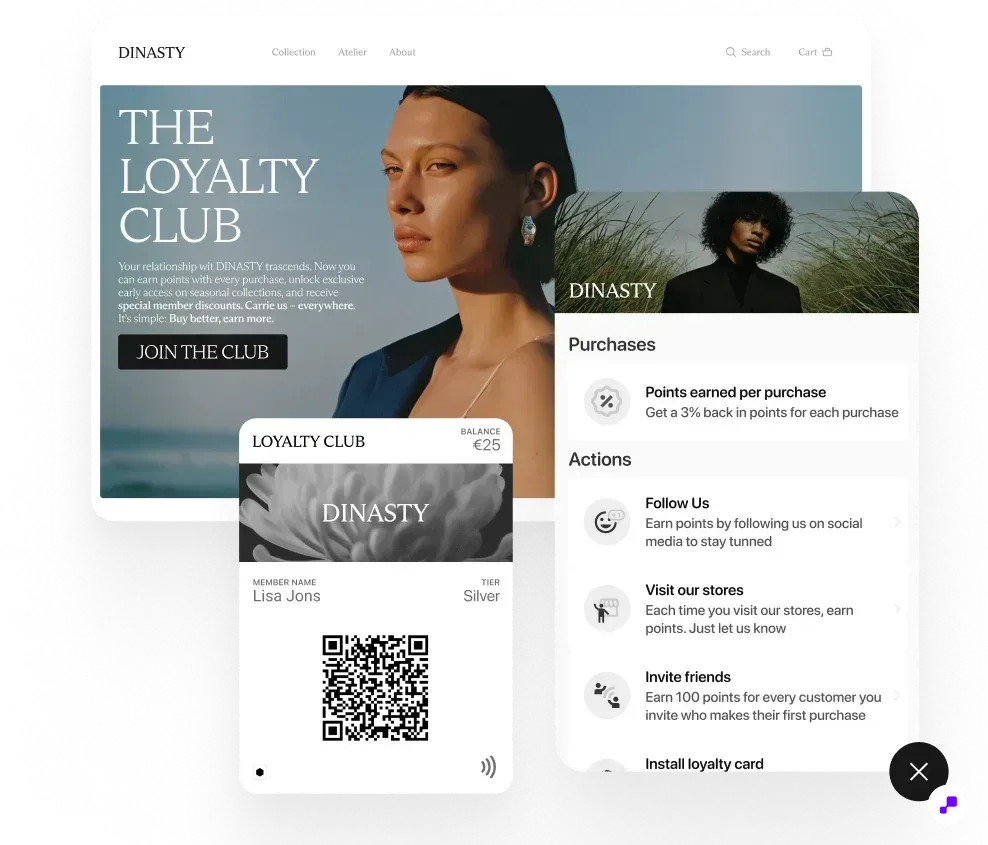
Measure wallet loyalty ROI by comparing loyalty members vs. non-members on repeat purchase rate, AOV, and annual value — that side-by-side is the clearest proof of program impact.
Track five metrics monthly after launch: enrollment rate (target 50%+), active rate (target 40%+ earned or redeemed in 30 days), repeat purchase rate for members vs. non-members (target 35-45% vs. 20-25%), average order value lift (target 15-25%), and push notification engagement (target 10-15% driving a purchase within 48 hours).
The clearest proof of ROI is the side-by-side: what does a loyalty member's annual value look like versus a non-member's? Shopify's customer segments let you filter by loyalty status to build this comparison. For a quick pre-launch estimate, use our loyalty ROI calculator.
Red flags to watch: high enrollment but low active rate (below 25%) means first rewards are too hard to reach. High active rate but low repeat purchase lift means rewards aren't motivating enough. Low push engagement (below 5%) means you're sending too many or irrelevant messages. A healthy program shows measurable improvement in repeat purchase rate within 60-90 days.
Set up a monthly dashboard with these 5 metrics: enrollment rate, active rate, repeat purchase rate (members vs. non-members), AOV lift, and push notification engagement.
Shopify's customer segments let you filter by loyalty status, purchase frequency, and recency — use them to build the member vs. non-member comparison report.
Creating Apple Wallet loyalty cards on Shopify comes down to three steps: choose a wallet pass app that integrates with your sales channels, design a branded pass with clear points display, and distribute it through post-purchase touchpoints. The combination of Shopify's unified commerce data and Apple Wallet's persistent visibility creates a loyalty experience that achieves 3-5x the enrollment and engagement of traditional approaches.
JeriCommerce handles every step in this guide — pass design, points configuration, multi-channel distribution, POS scanning, and push notifications — in a single Shopify app. Most merchants go from install to live wallet passes in one afternoon. Start free, no credit card required.
Branded Apple and Google Wallet passes with automatic points, push notifications, and POS scanning. setup in under a day.
Install Free on Shopify